interact software logo

Interact Software Enterprise Mobility Management App

Extending PC Workstation Monitoring to Company Smartphones

User analyzing a dashboard on a laptop displaying real-time mobile device monitoring, performance metrics, and analytics

Categories

Enterprise & Operations

Technologies used

iOS | Android | Backend | APIs

About The Client

Interact Software publishes a performance tracking solution for Windows PC workstations. Its software collects, consolidates and analyzes performance, inventory, consumption and usage data for every workstation on a network, so that technical failures can be anticipated.

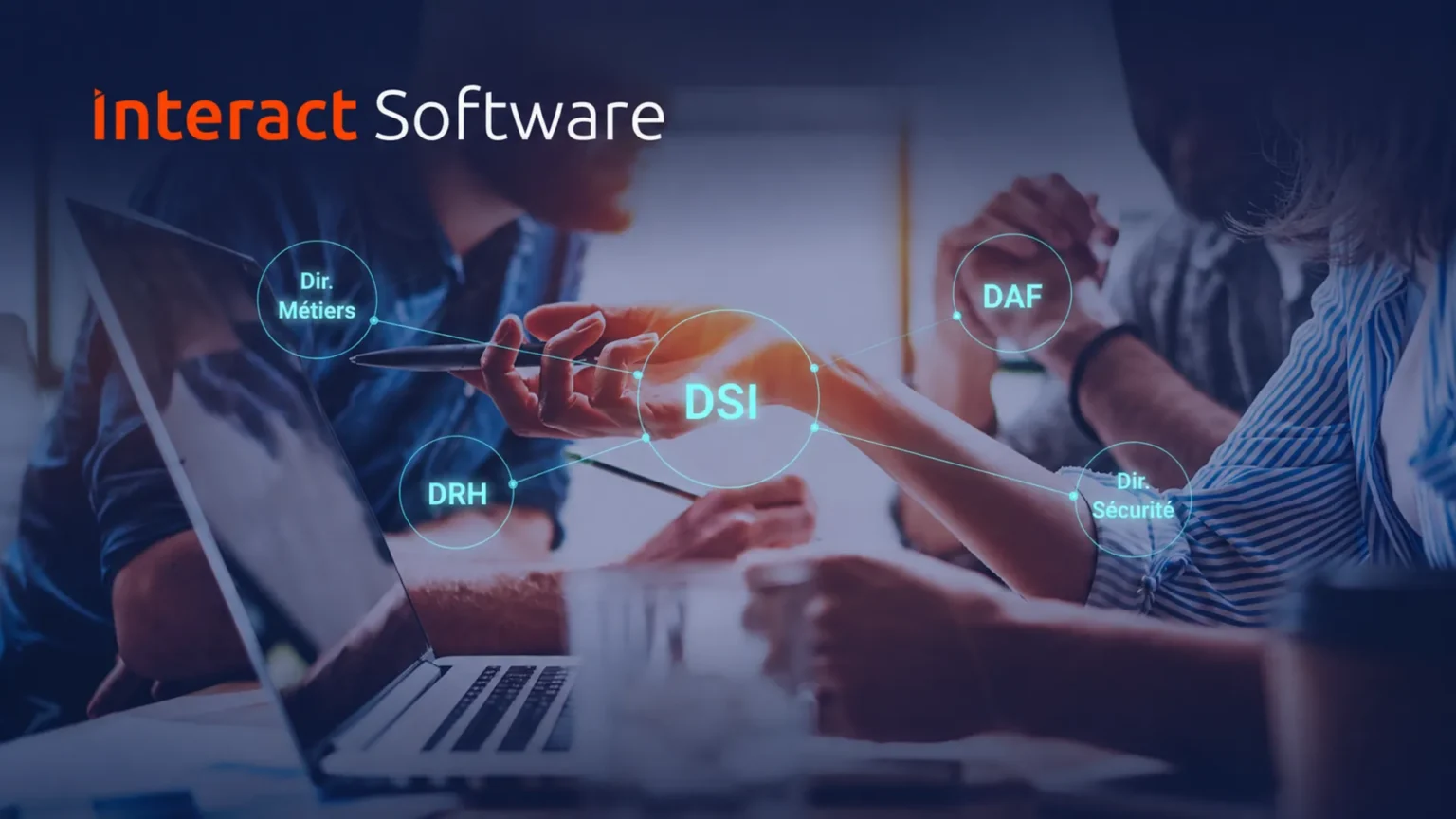
Interact Software logo over a team meeting, with IT, finance, HR, security and business departments linked in a diagram

Project Overview

The Project

Interact Software wanted to offer the same analysis for smartphones, on both iOS and Android. Sidekick Interactive built the complete mobile side of this enterprise mobility management software: native iOS and Android apps that run on each device, the server-side logic behind them, and a web dashboard where all the collected data comes together.

The Context

Mobile devices are more and more present within companies, but the existing solution had been designed for desktop PCs and could not be used on them. The mobile fleet was therefore not analyzed at all, and technical failures on these devices could not be anticipated. For Interact Software, turning its tool into enterprise mobility management software meant dealing with devices that behave very differently from a plugged-in workstation.

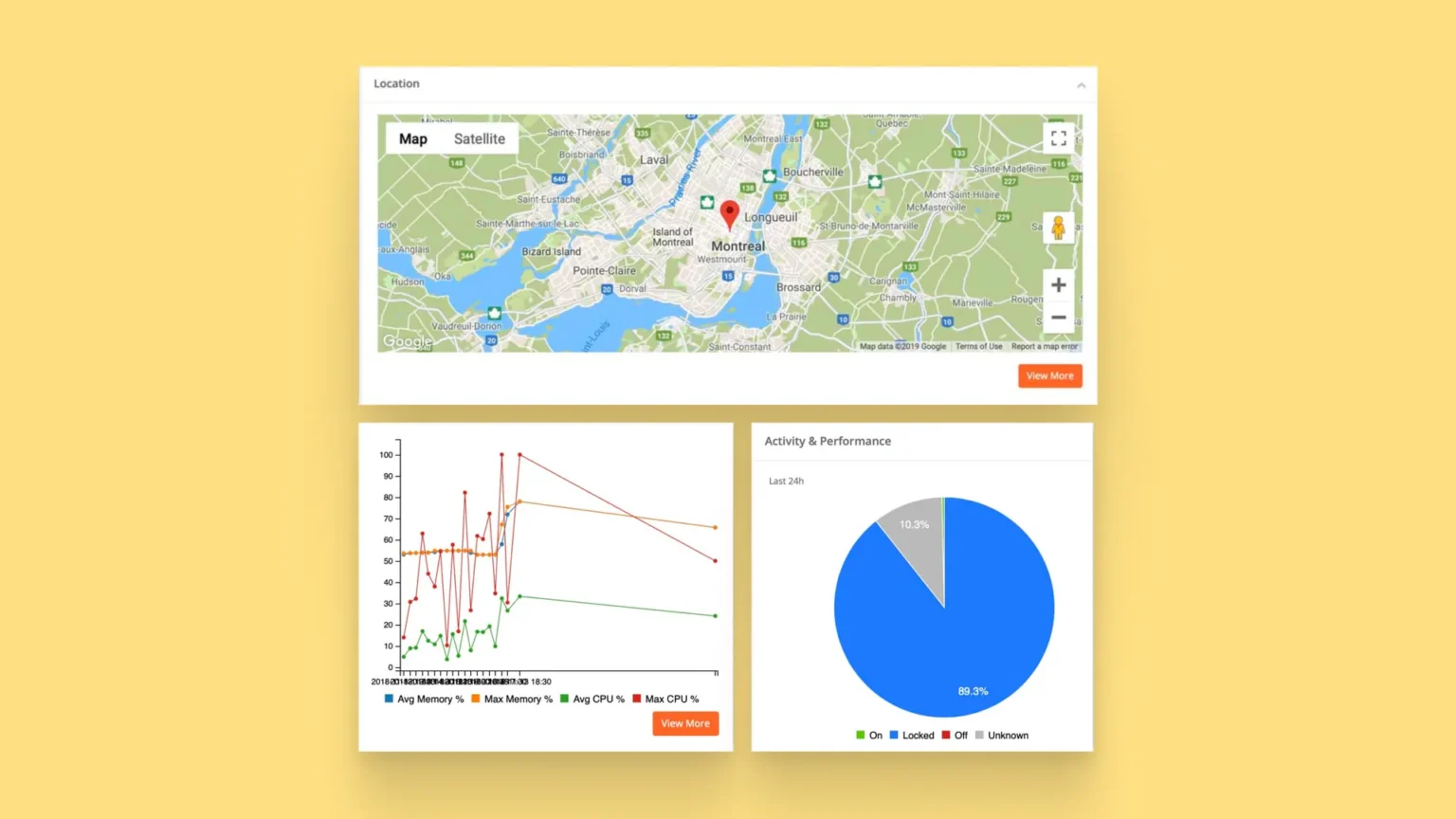
Interact Mobility web dashboard components showing a device location map, memory and CPU usage over time, and device status for the last 24 hours

Challenges and Technical Constraints for Enterprise Mobility Management Software

The Challenge

The challenge was to rebuild a desktop monitoring tool as enterprise mobility management software. The goal stayed the same, collecting device data to anticipate failures, on devices that run on battery and whose operating systems strictly control what an app can do in the background.

Constraints

Data collection designed specifically for mobile devices

Access to the lower layers of iOS and Android and to the device’s sensors

Background collection with very little impact on battery life and on the user

Background execution limits on iOS and Android that grew stricter as the project moved forward

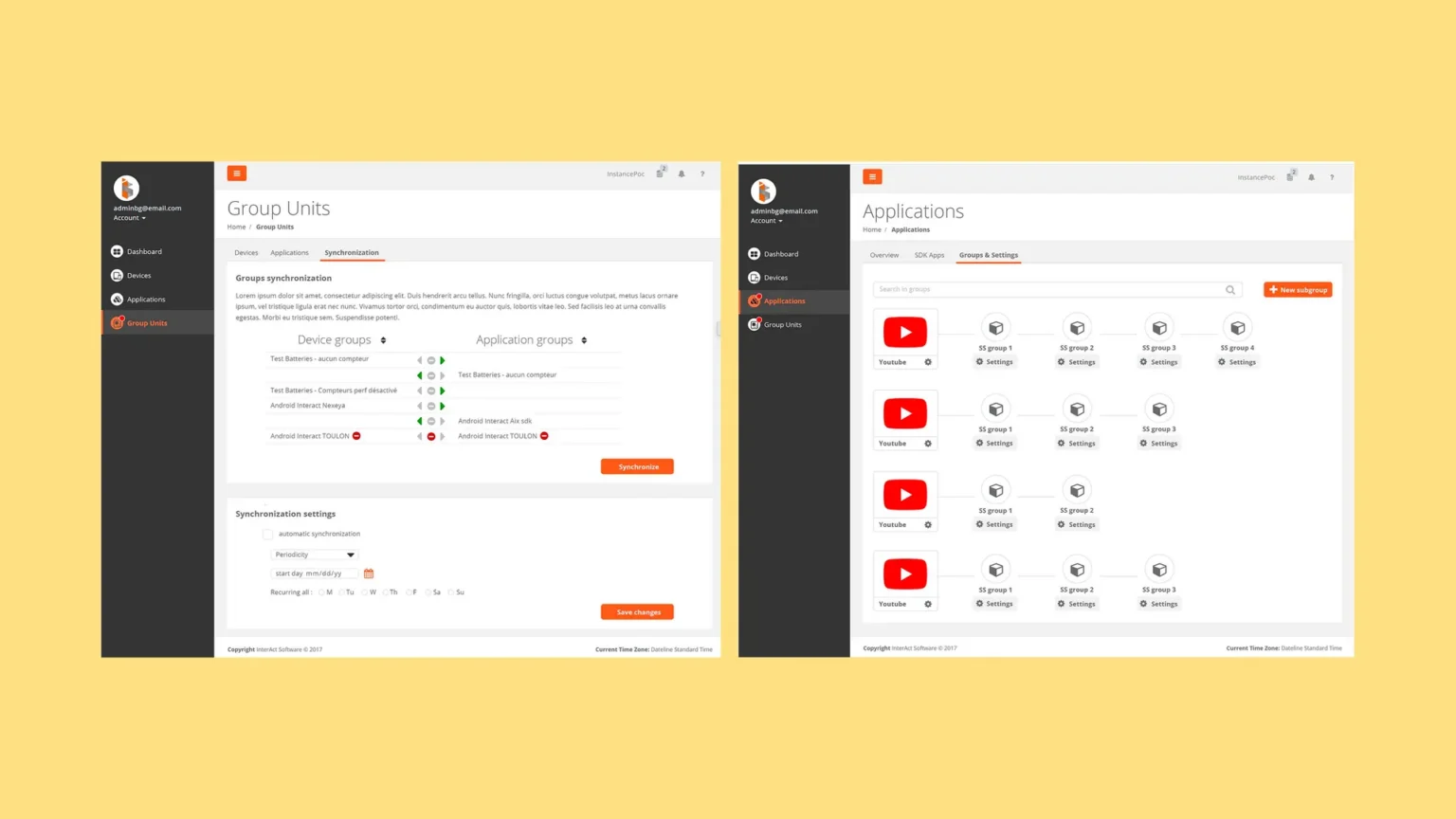
Interact Mobility web dashboard screens for synchronizing device and application groups and managing application subgroups and settings

Our Approach and Solution for Mobile Device Analytics

Starting From the Existing PC Solution

We first analyzed the solution already deployed on PC workstations to understand how the software was built and what it needed. From there, the team added data and features collected and adapted specifically for mobile devices.

Native Apps Built Close to the Operating System

The iOS app is written in Swift and the Android app in Kotlin. Both connect to the lower layers of the operating system and to the device’s sensors, and feed the mobile device analytics shown in the dashboard.

Background Data Collection That Spares the Battery

A desktop PC is plugged in, so collecting data in the background is not an issue. On a smartphone, every background task uses battery. As the project moved forward, iOS and Android also restricted the data mobile apps can collect. Neither platform lets an app run continuously in the background anymore, since it degrades battery performance.

To keep collection going within these limits, our team developed techniques that wake the app in the background when data needs to be gathered. We also adjusted the collection algorithms and processes so the apps use very little battery and gather relevant information without interfering with the person using the phone.

A Server Layer and Web Dashboard for the Whole Fleet

We also built the server side of the system, with the databases, APIs and data analysis that link each mobile device to a shared interface.

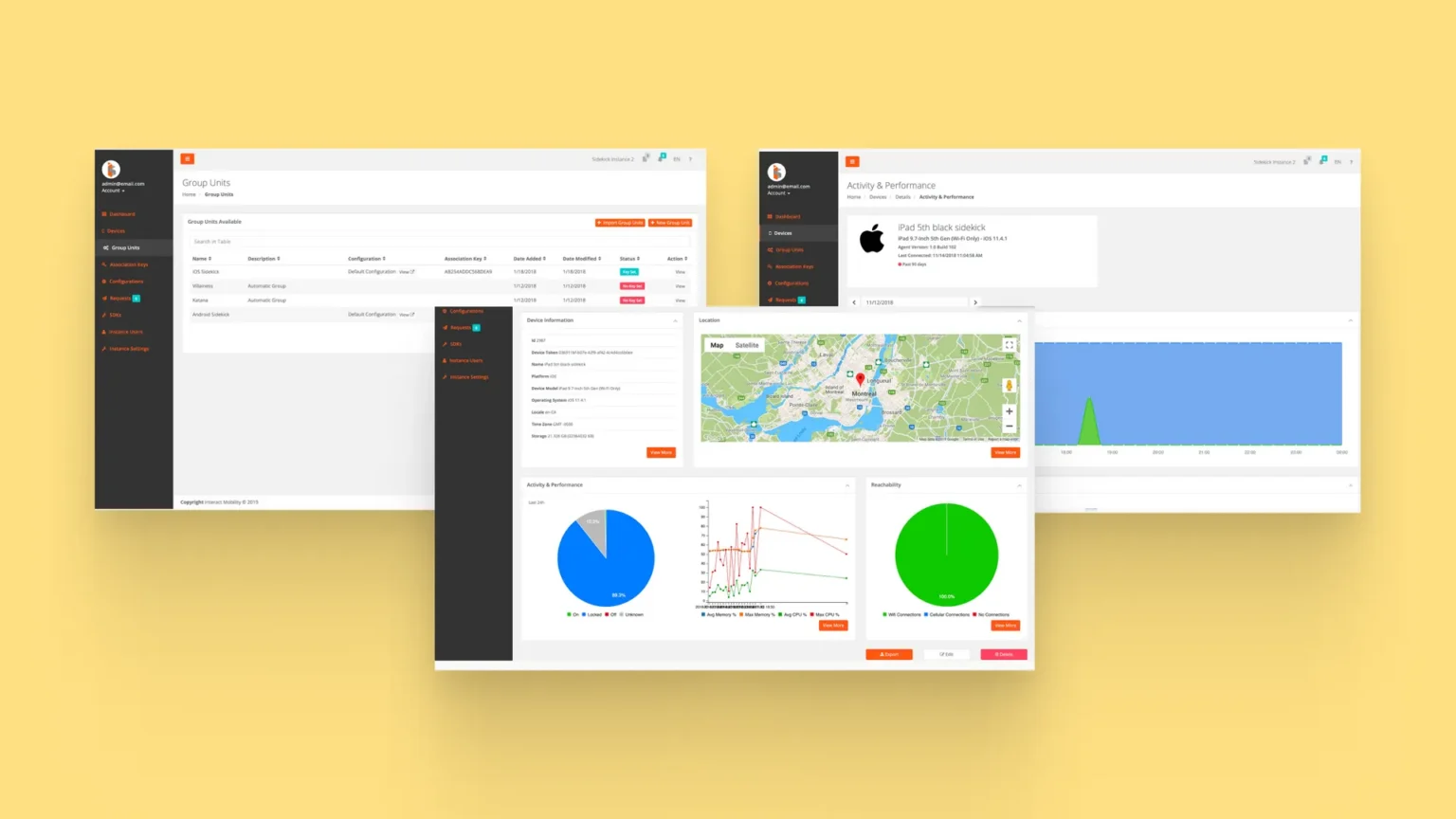
The web dashboard presents the collected data in a form that is easy to read, with authentication, charts, maps and administration features. For each device, it shows its location, memory and CPU usage over time, and its status (on, locked, off or unknown), so teams can quickly see what is happening on a phone and anticipate potential failures.

Interact Software web dashboard screens for synchronizing device and application groups and managing application subgroups and settings

Results and Benefits for Interact Software's Enterprise Mobility Platform

Results

Smartphones, which were previously left out of the analysis, are now monitored through Interact Mobility, Interact Software’s enterprise mobility platform. Teams can quickly view all the data specific to a device and anticipate potential failures on devices they had no visibility on before. Data collection runs in the background on iOS and Android with very little battery use, without getting in the user’s way.

Why Interact Software Chose Sidekick Interactive for Its Enterprise Mobility Management App

Sidekick Interactive handled the whole system, from the analysis of the original PC software to the native apps, the server side and the web dashboard. The project also called for native iOS and Android expertise to keep collecting data within the background limits of both platforms, as these limits kept evolving.

“We have developed a real solution, based on an existing but outdated PC workstation software model, for mobile devices. We have developed an internal analysis tool to meet existing technology needs. The teams now have a complete grip on the fleet of mobile devices, to which they did not have access before.”

Alexandre Boyer-Laporte, Co-Founder, Sidekick Interactive

Sidekick Interactive's Expertise in Enterprise Mobility and Device Monitoring Apps

Monitoring company devices from a mobile app depends on what iOS and Android allow at the system level, especially for background execution, battery use and access to sensors. Our enterprise mobile app development work combines native iOS and Android expertise with the backend and web layers these tools rely on. We build MDM apps, enterprise mobility management software and internal analytics tools, and take on custom software projects where an existing product has to be extended to new devices.

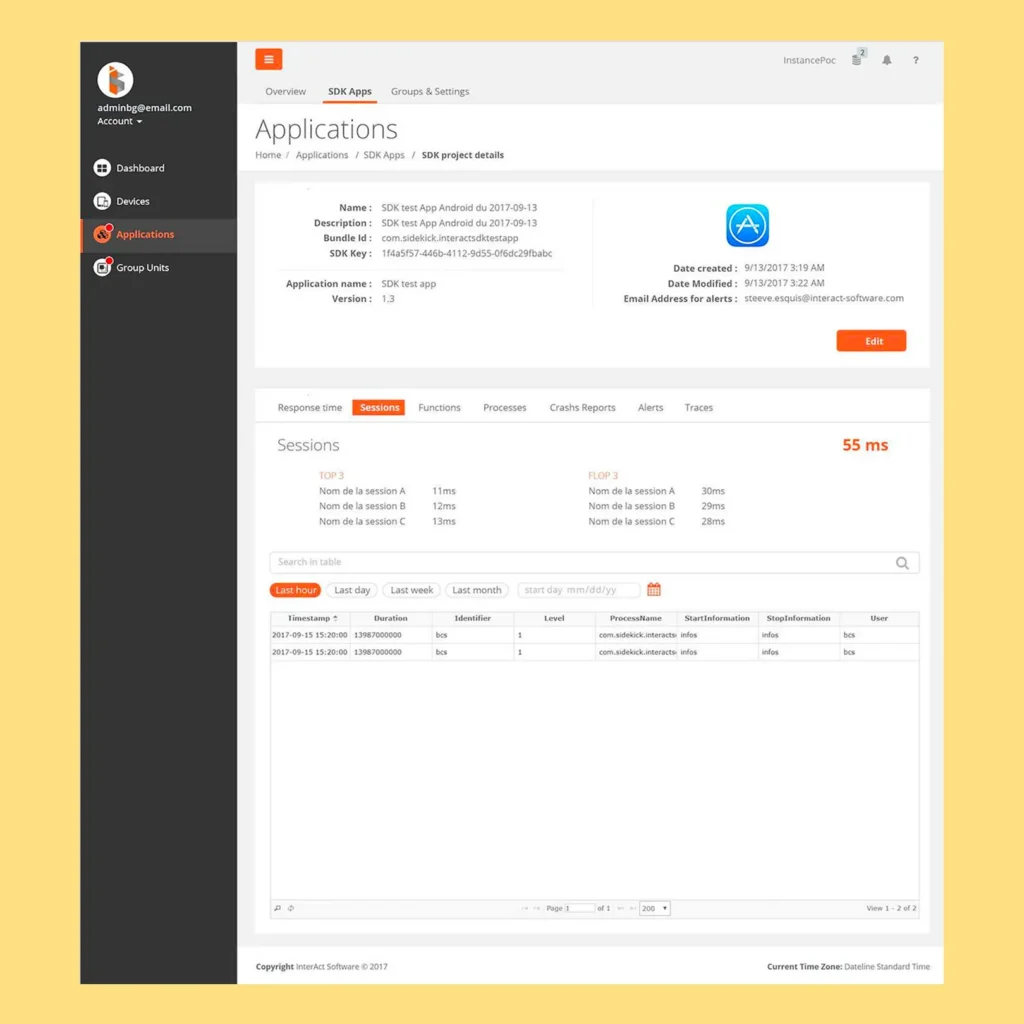
Interact Mobility web dashboard screen showing an SDK app’s details and session response times, with tabs for functions, processes, crash reports, alerts and traces

Other Projects

User analyzing a dashboard on a laptop displaying real-time mobile device monitoring, performance metrics, and analytics

Interact Software Enterprise Mobility Management

User interacting with an augmented reality interface to visualize a sofa in a real living space before purchase

Apple Vision Pro AR Furniture App

Let's talk about your 
idea.
project.
application.
Scroll to Top
Sidekick Interactive
Privacy Overview

This website uses cookies so that we can provide you with the best user experience possible. Cookie information is stored in your browser and performs functions such as recognising you when you return to our website and helping our team to understand which sections of the website you find most interesting and useful.