Aerial Home Security IoT Mobile App

Turning Wireless Motion Data into an Intuitive Home Security Experience

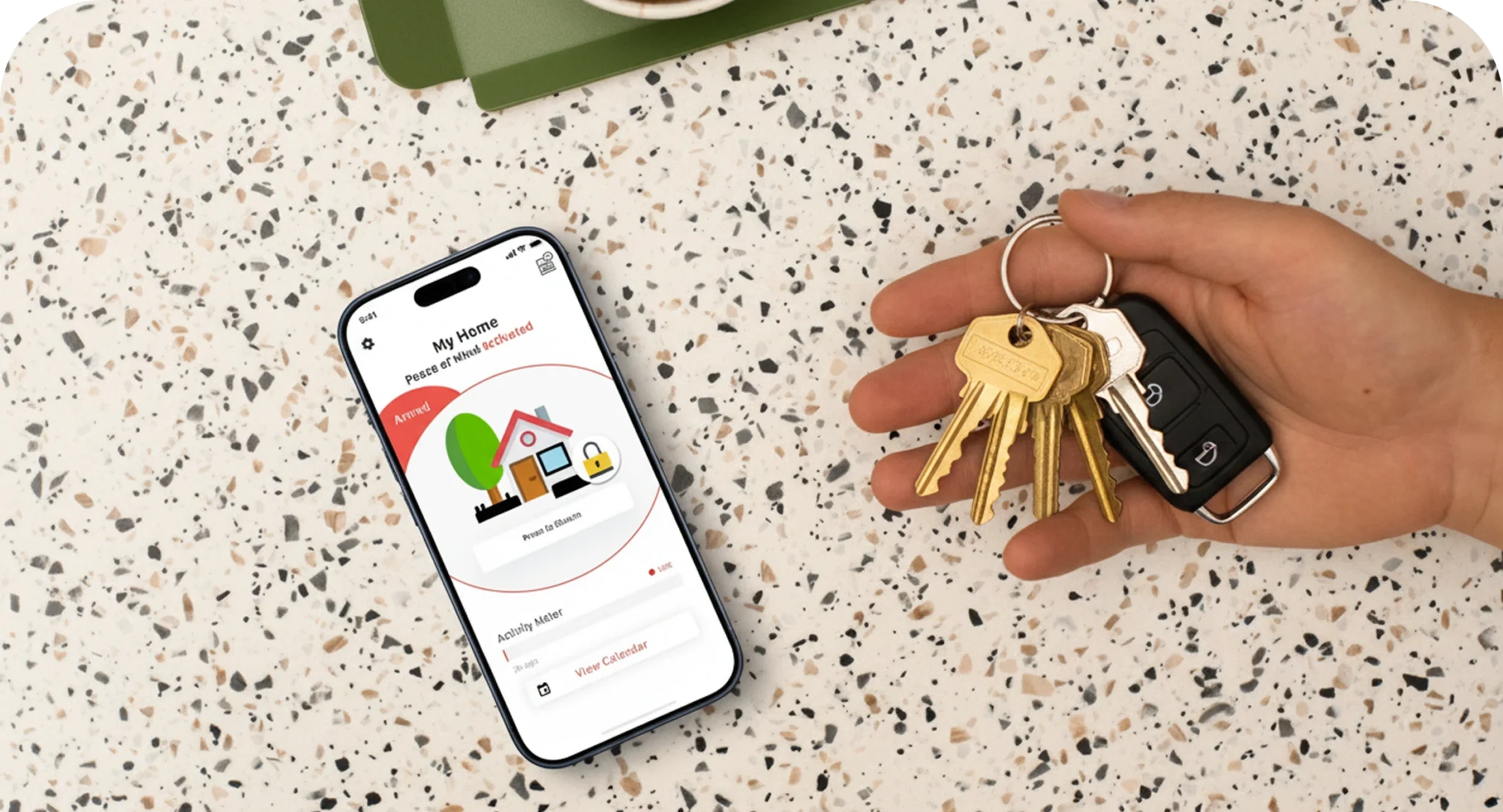
User interacting with a mobile app displaying real-time home security alerts and wireless sensor data

Categories

Enterprise & Operations | IoT

Technologies used

iOS (Swift) | Android (Kotlin) | API Integration

About The Client

Aerial Technologies is a Montreal-based startup behind a Motion Intelligence platform. The technology uses a home’s existing Wi-Fi infrastructure and AI to detect human presence and activity, without cameras, wearables, or extra sensors, powering applications across eldercare, home security, energy management, and home automation, all built on the same underlying IoT sensing technology. Aerial wanted this technology to reach more than security professionals, packaged into something a homeowner could set up and understand in minutes, with no technical background required.

Aerial logo and tagline 'Improving daily life with ubiquitous motion intelligence' over a minimalist living room

Project Overview

The Project

Sidekick Interactive was brought in for a piece of custom IoT app development: designing and building Aerial’s first mobile app, the interface that would sit on top of its wireless sensing hardware and connect to the client’s own APIs. The brief was direct: take raw motion data generated by the device and turn it into something a regular person could read, trust, and act on, through a native iOS and Android app. One constraint shaped every decision on this project: there was no backend. All the intelligence lived in the hardware itself, and the app had to work directly with the data it received.

The Context

Home security products live or die on trust. Aerial’s detection method reads how Wi-Fi waves move around a room, technically solid, but its raw output isn’t something a homeowner can interpret at a glance. We needed an interface that kept the accuracy of the underlying IoT technology while making it as simple to use as a light switch, and one that adapted to different home layouts and household sizes, since what counts as normal activity varies from one home to the next.

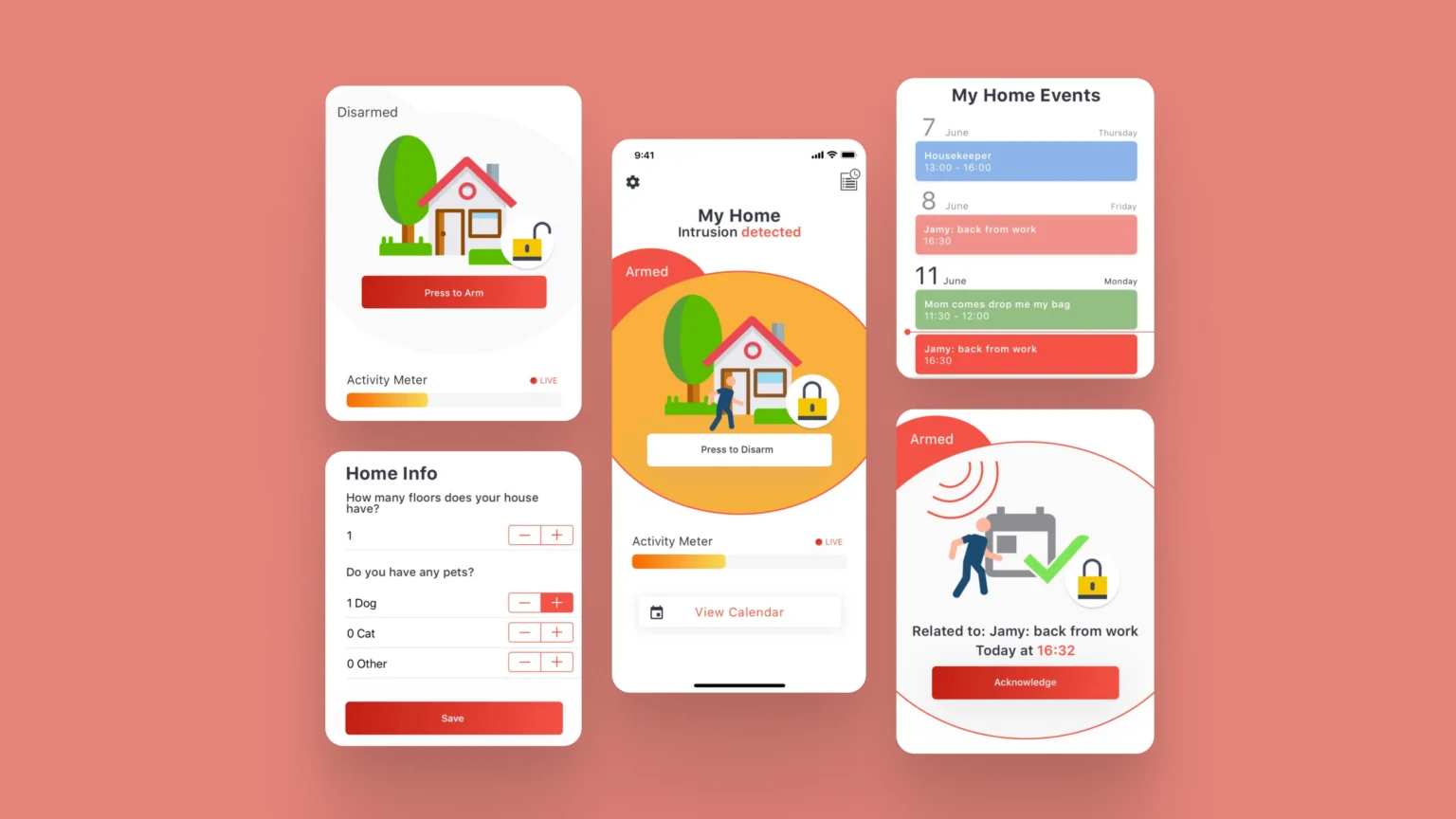
Aerial home security app screens showing armed status, home setup form, and event notifications

Challenges and Technical Constraints for Aerial's IoT Home Security App

The Challenge

Translating Wi-Fi motion analysis into alerts anyone could understand instantly

Designing one interface that worked equally well for homeowners and for professional installers

Making the app configurable per household without turning setup into a chore

Building enough trust into the notification system that users would actually rely on it day to day

Constraints

No backend infrastructure: every screen had to work with data delivered directly from Aerial’s own APIs

Aerial had already built the Wi-Fi wave identification technology itself; our job was strictly the interface layer, taking a dense, technical dataset and making it readable without touching the underlying detection logic

Native iOS (Swift) and Android (Kotlin) development, to keep the app tightly integrated with the client’s APIs and hardware

A configuration flow flexible enough to cover different home layouts, without adding friction to onboarding

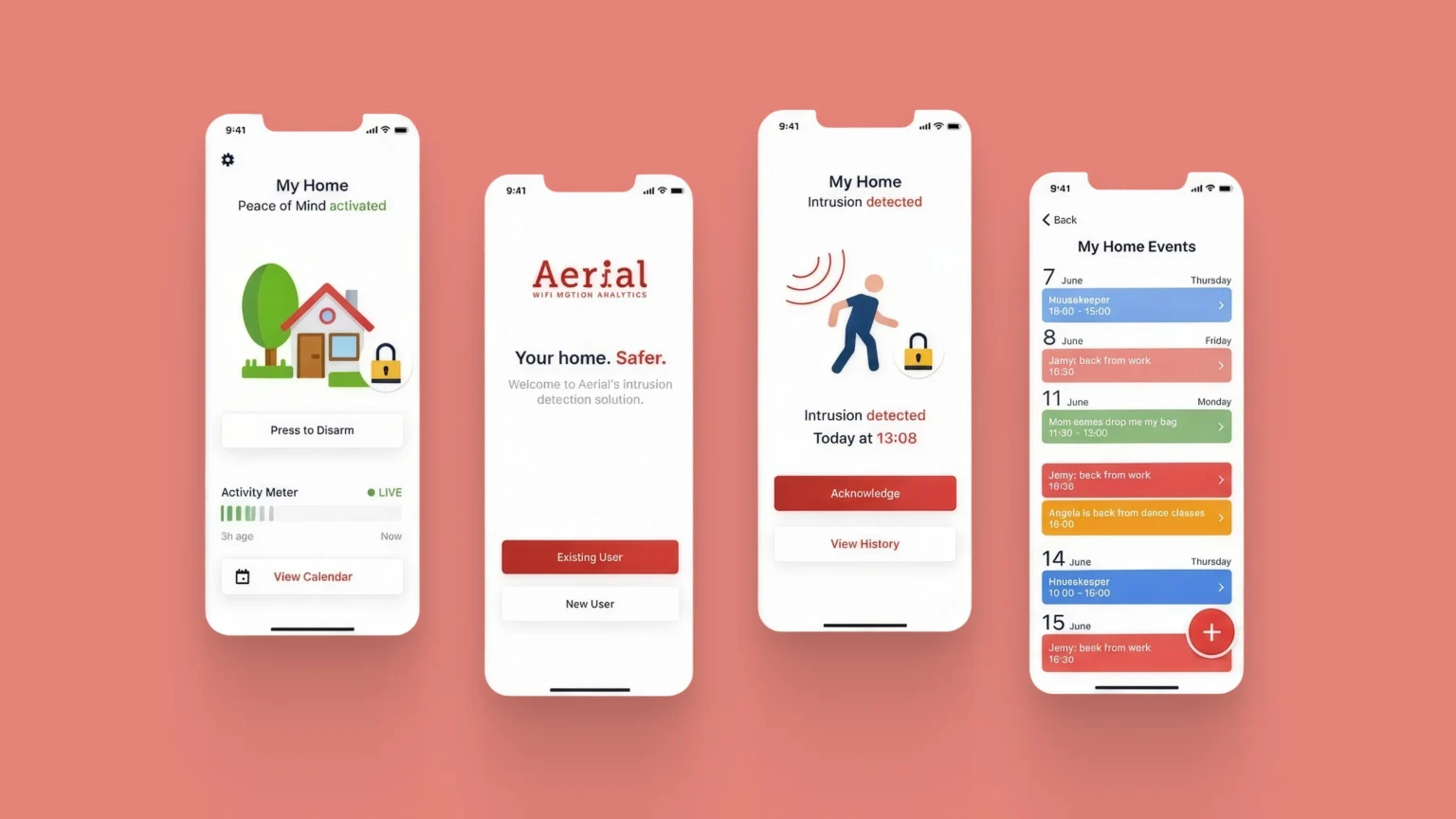
Four screens from the Aerial home security app: home status, welcome screen, intrusion alert, and event calendar

Our Approach and Solution for Aerial's Wireless IoT App

Prototyping Before Writing Production Code

We started with a co-creation workshop alongside Aerial’s team to map out how the technology should behave inside an app, then built a working prototype to test the information hierarchy and configuration logic before any production development began, as part of the IoT app design process. This let both teams confirm the direction early, which mattered given how tightly the interface was tied to the hardware’s limitations.

A Configurable, Plain-Language Experience

Rather than exposing users to technical readings, we built the app around a small set of clear states: armed, disarmed, intrusion detected. Every notification translates the underlying Wi-Fi signal into a message a homeowner immediately understands. On top of that, a short configuration flow lets users describe their space, floors, pets, household members, so the system interprets motion against a profile that actually fits the home it’s protecting, rather than a generic default.

Scheduling And Event History For Fewer False Alerts

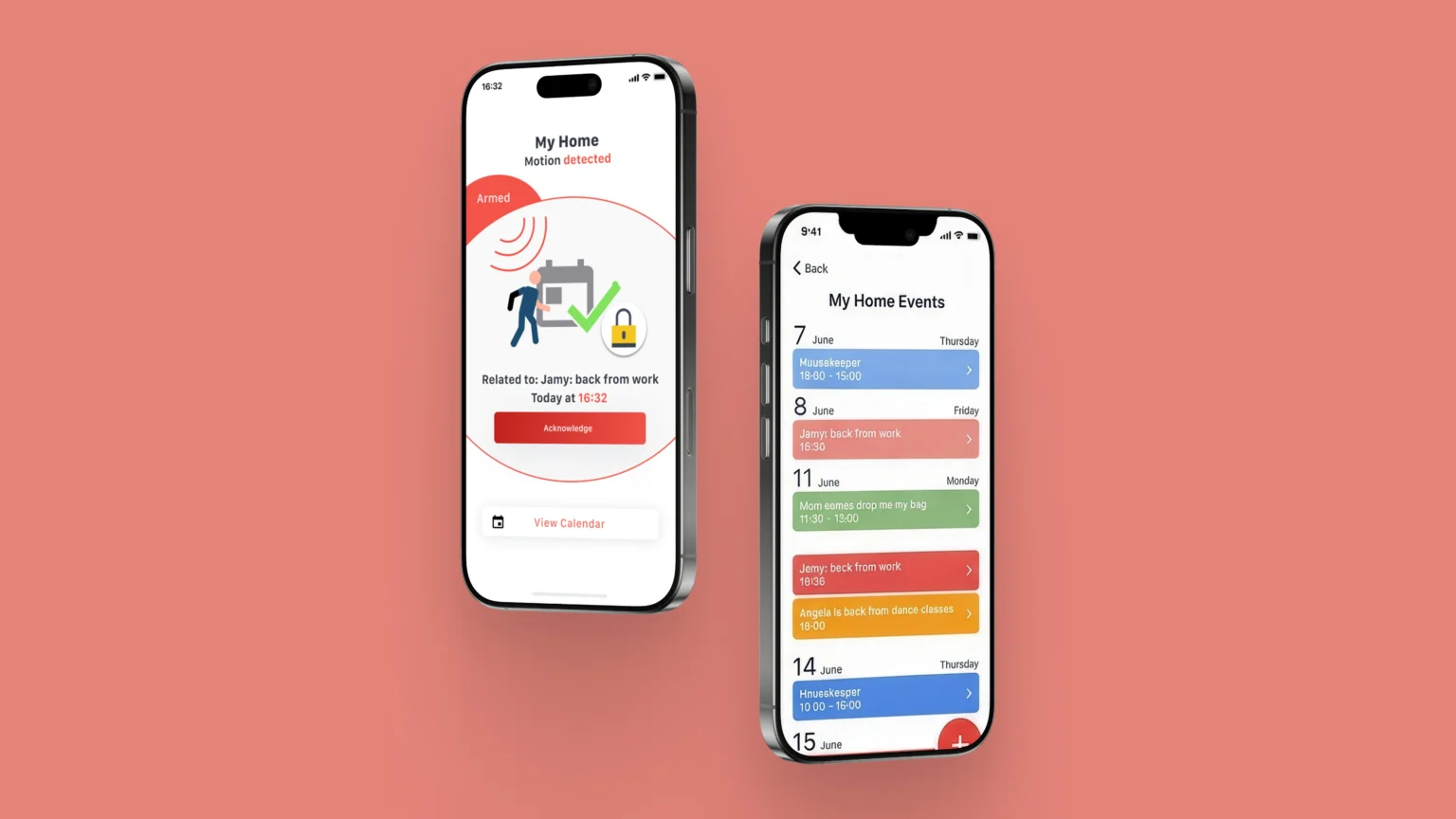
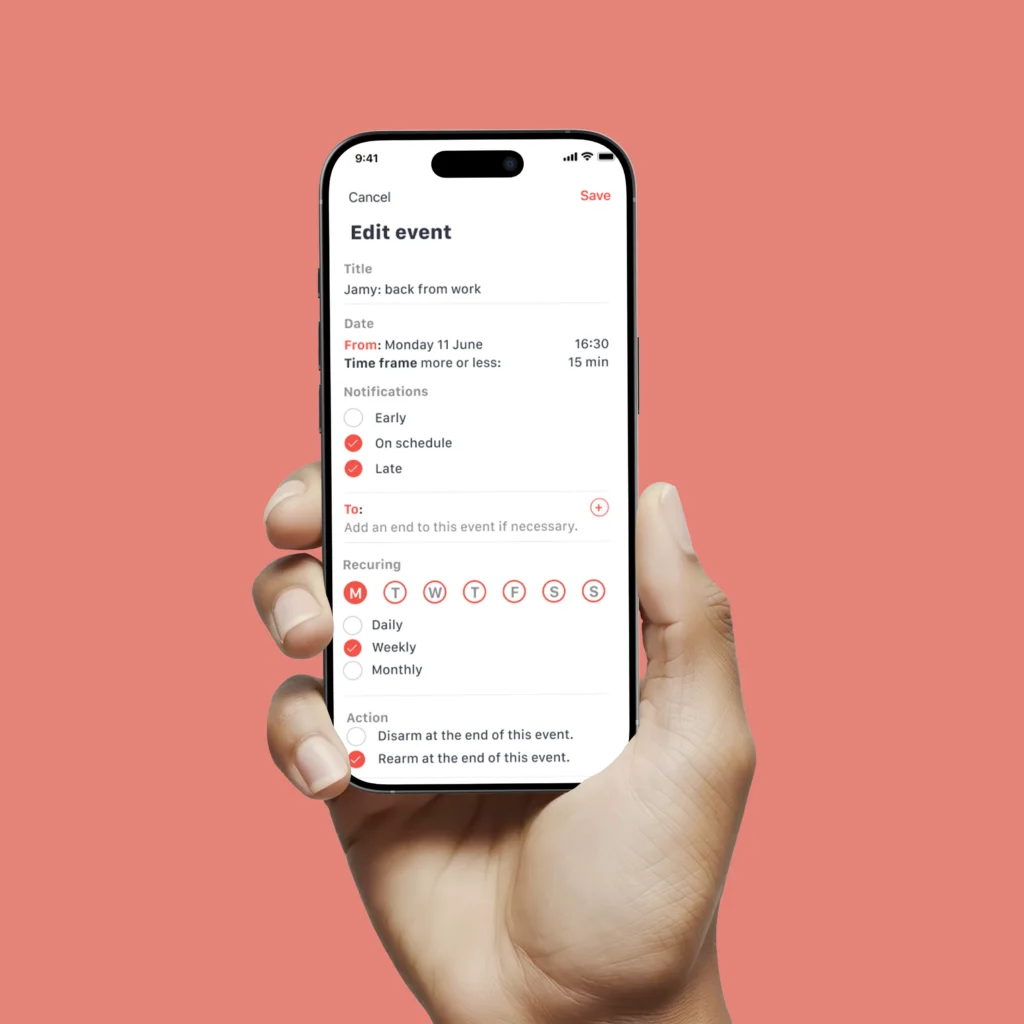
We added a calendar layer so users can log expected activity, a housekeeper’s visit, a family member’s regular schedule, which the system factors in before flagging something as unusual, alongside a full event history that gives users context on past activity.

Aerial app screens showing a motion detected alert and the My Home Events list

Results and Benefits for Aerial's IoT Mobile App

Results

Users understood their home’s security status from the very first session, without needing to open any help documentation

The validated UX/UI wireframes made it into the production build without rework

New home profiles could be set up in just a few taps, without any technical back-and-forth

By simplifying a dense IoT sensing technology into a handful of clear states and a short setup flow, the app made Aerial’s technology usable for people with zero technical background, while keeping the underlying detection just as reliable.

Why Aerial Chose Sidekick Interactive for its Smart Home Security App

Aerial chose Sidekick Interactive for a proven track record in IoT mobile app development on connected hardware, not just standard consumer apps, and for real experience turning complex technical data into something end users can trust. Our ability to build native iOS and Android apps that work without a backend matched Aerial’s hardware-first architecture directly, and having one team handle the workshop, the prototyping, the UX/UI design, and the front-end development meant Aerial never had to coordinate across multiple vendors.

Sidekick Interactive's Expertise in IoT App Development

This project reflects our experience building for IoT, where hardware and software reliability have to work together seamlessly. Our team combines native mobile development, UX/UI design, and hardware integration for products where the underlying technology has to stay completely invisible to the end user, the same logic that drives our approach to custom IoT app development more broadly.

Hand holding a phone showing the Aerial app's event scheduling screen with notification and recurrence settings

Other Projects

Passenger viewing a mobile ticket with QR code and travel details inside a bus using a transportation app

Limocar Mobility Mobile App

User interacting with a mobile app to assess stress levels through a simple and intuitive interface

iSmart: Mental Health Research App

Let's talk about your 
idea.
project.
application.
Scroll to Top
Sidekick Interactive
Privacy Overview

This website uses cookies so that we can provide you with the best user experience possible. Cookie information is stored in your browser and performs functions such as recognising you when you return to our website and helping our team to understand which sections of the website you find most interesting and useful.