Interactive 3D Heart on Apple Vision Pro for Medical Education

Turning Cardiac Anatomy Into a Spatial Learning Experience

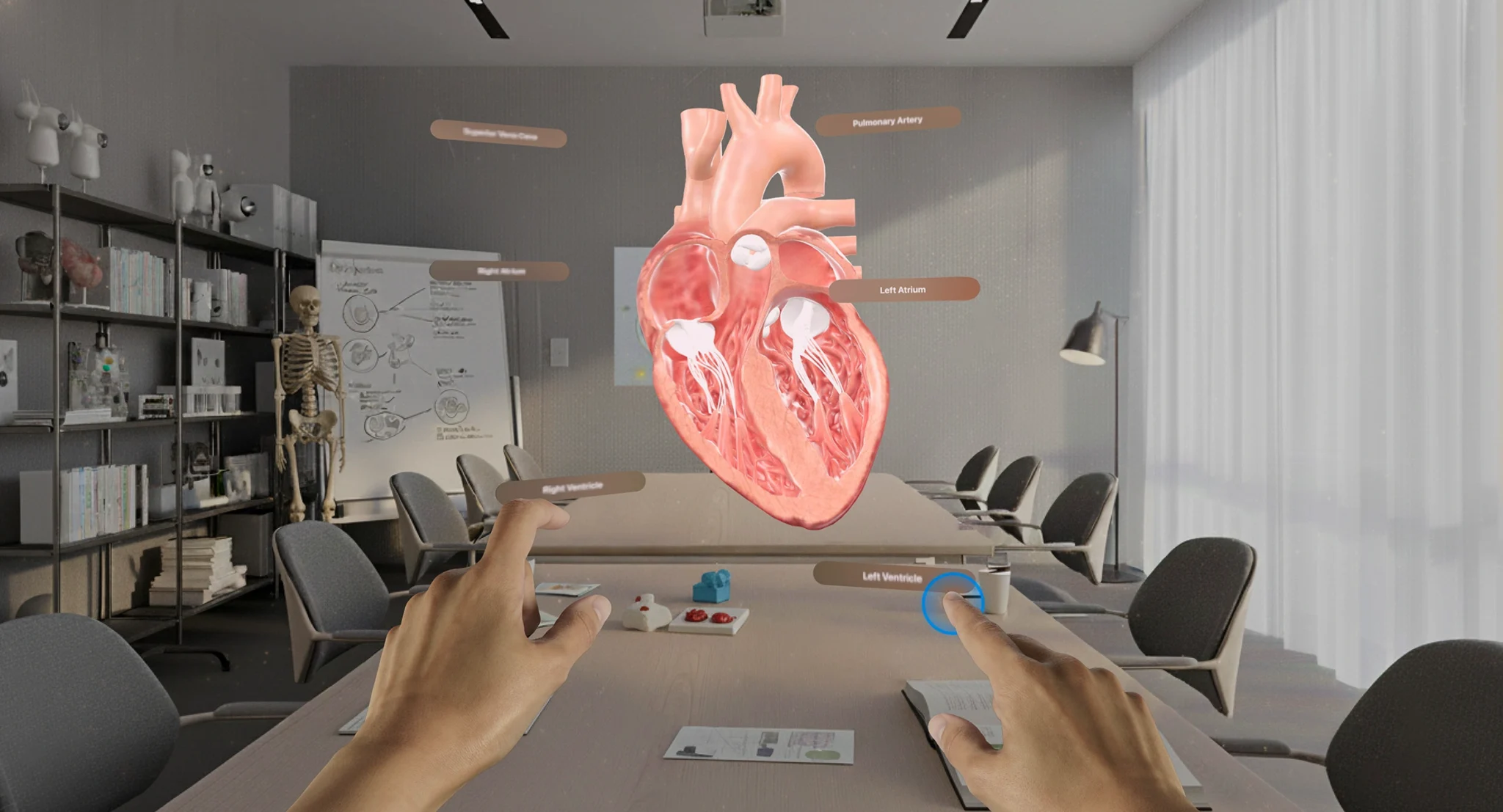
User interacting with a 3D heart model in augmented reality to explore cardiac anatomy in a medical learning environment

Categories

Healthcare & MedTech

Technologies used

visionOS | Swift | SwiftUI | RealityKit | Reality Composer Pro | Blender

About The Client

This interactive 3D heart was built with a forward-thinking partner. The aim was to help medical students understand the human heart better. To get there, the partner wanted to use the spatial computing capabilities of Apple Vision Pro and turn an organ that is hard to picture into a model students can explore in space.

Project Overview

The Project

The goal was to develop an interactive 3D heart for Apple Vision Pro that medical students could explore from every angle. The app was built natively with Swift and SwiftUI, on visionOS and RealityKit, so the experience could rely directly on the headset’s spatial computing capabilities.

The Context

Medical students often struggle to understand complex 3D anatomical structures, like the human heart, when they learn from traditional 2D illustrations and static models. These methods fail to capture the intricate details and the dynamic nature of how the heart works, which limits understanding and the retention of key information. Even physical models cannot show the heart in motion or its internal workings.

This leaves a gap in the tools available for medical education. Augmented reality medical education offers another approach, with the organ placed in front of the student in three dimensions.

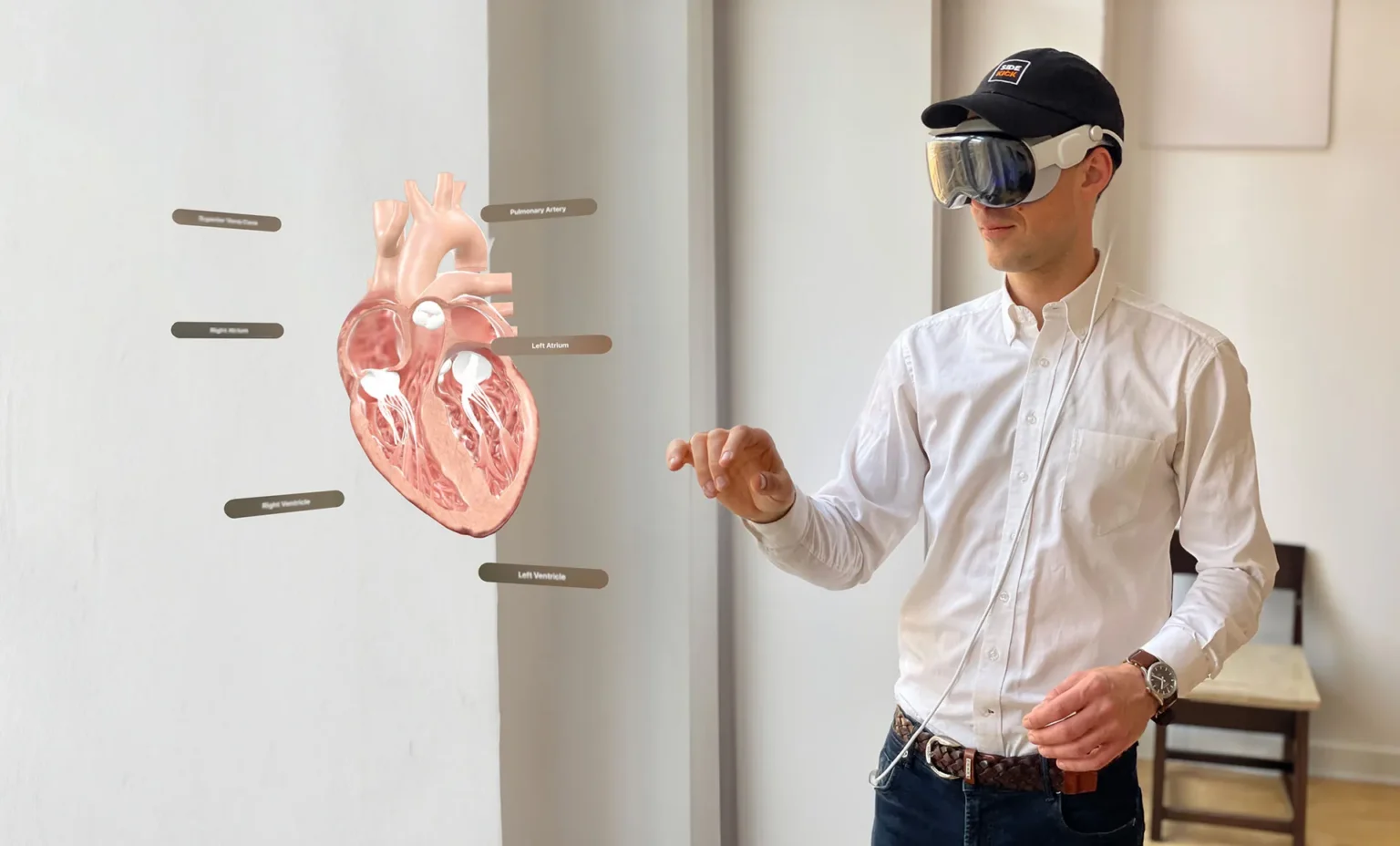
Man wearing Apple Vision Pro and interacting with an interactive 3D heart labeled with its chambers and arteries

Challenges and Technical Constraints for an Interactive 3D Heart

The Challenge

The challenge was to turn an organ that students usually see flat on a page into a model they could study in space, without losing the anatomical detail that makes it useful for learning. The interactive 3D heart also had to stay simple to explore, so students could focus on the anatomy rather than on the headset.

Constraints

Show the internal structures of the heart with their intricate details

Show the heart in motion, which static illustrations and physical models cannot do

Keep a detailed 3D model running smoothly on Apple Vision Pro

Move between full immersion and the real room without interrupting the session

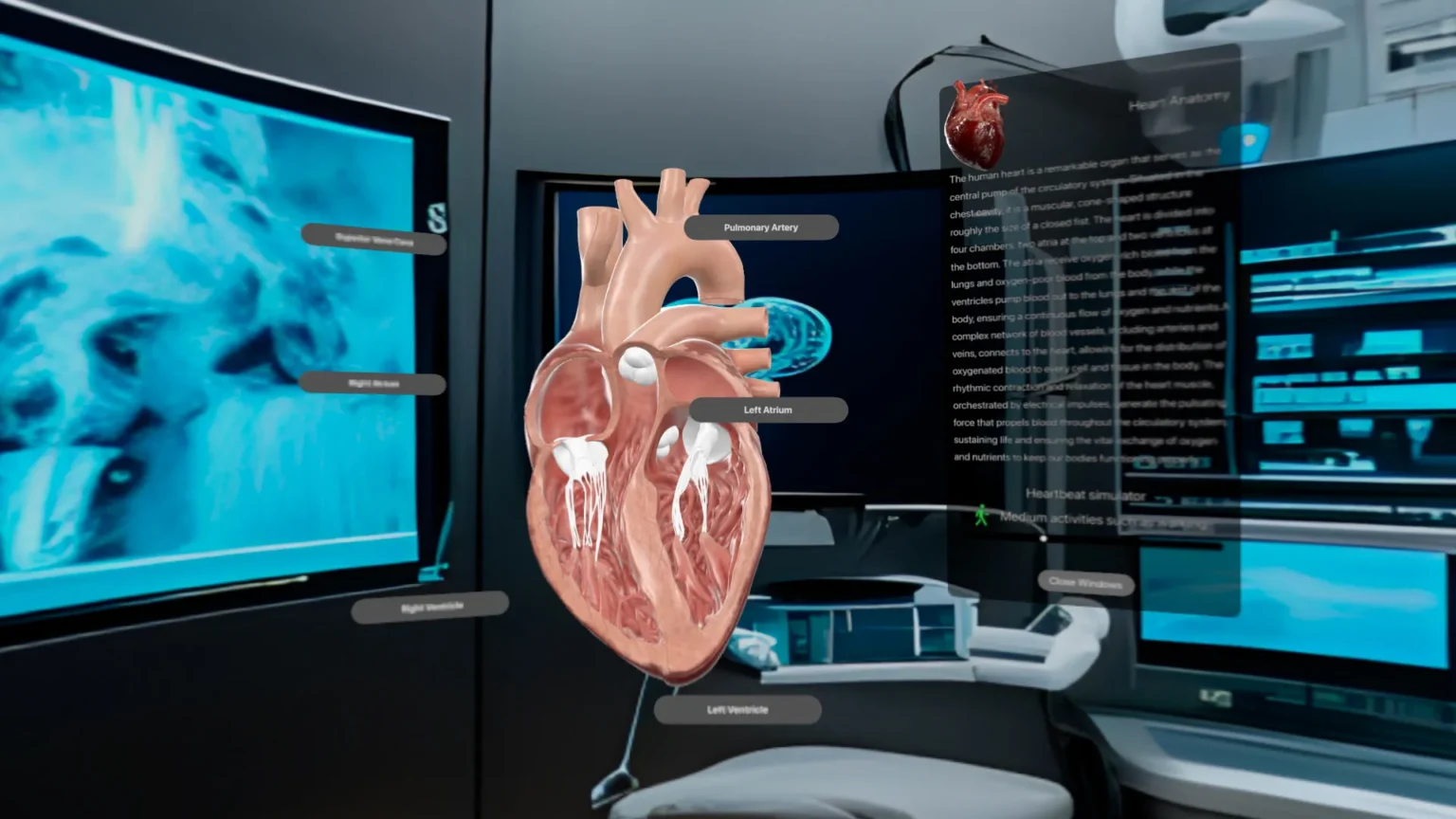
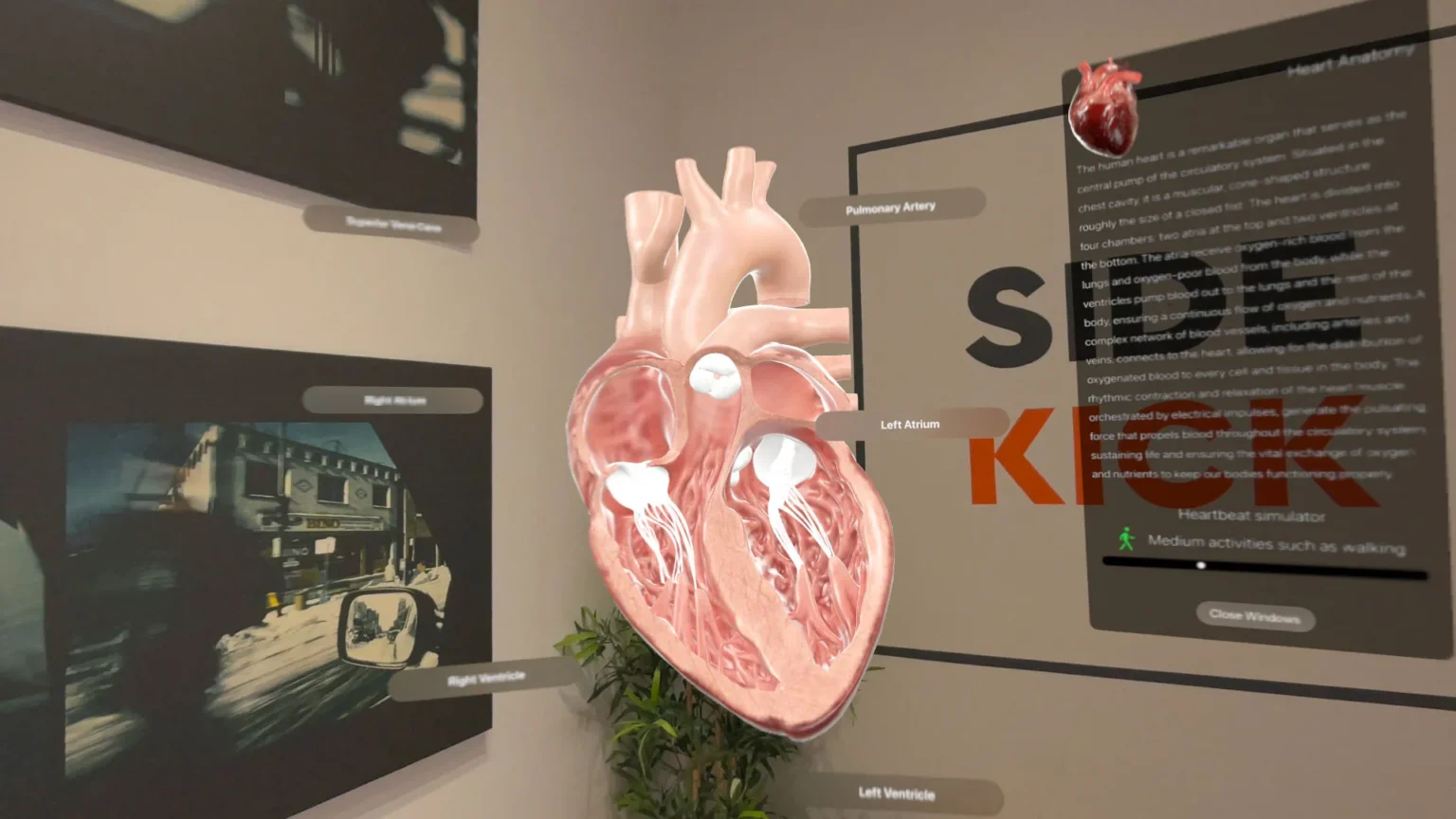
Interactive 3D heart in a virtual medical room, with labeled parts and a heart anatomy panel on Apple Vision Pro

Our Approach and Solution for an Interactive 3D Heart on Apple Vision Pro

A Heart Model Split Into Parts Students Can Explore

We started from a 3D model of the heart created in Blender, then divided it into its main parts: the ventricles, the atria, the valves and the arteries. Each part can be selected on its own. Students can manipulate the heart from any angle, zoom in on specific structures and see the heart in motion. A static model can’t show that movement.

Videos and Descriptions for Each Part of the Heart

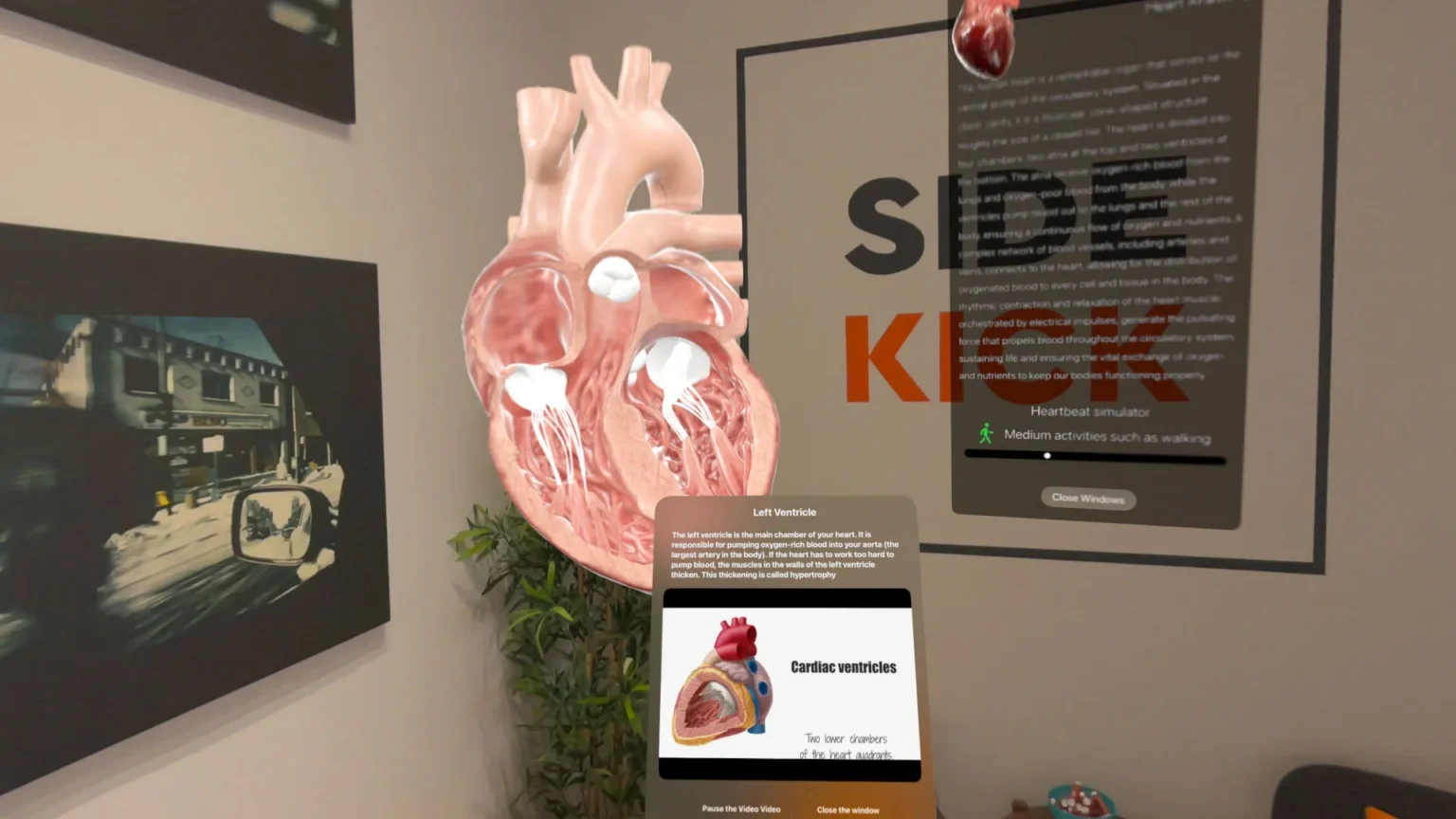
Every part of the model is labeled. When a student selects one, the app displays a video and a description that explain it, from the right atrium to the left ventricle. Students learn about a structure by selecting it directly on the model.

Full Immersion or the Real Room: Two Ways to Study the Heart

The app offers two modes. In full immersion, the heart sits at the center of a virtual room. In the second mode, it appears in the student’s real surroundings, so they can study it in the room they are in. The mode is chosen when the experience starts.

Keeping a Detailed Model Smooth on Vision Pro

We reduced the complexity of the 3D mesh in Blender and compressed the textures. The model keeps its visual quality and still runs smoothly on Apple Vision Pro. RealityKit and Reality Composer Pro handle rendering and interactions, and the switch between full immersion and the real room happens without interrupting the session.

Results and Benefits for Augmented Reality Medical Education

Results

The result is an interactive 3D heart that medical students can manipulate from any angle, zoom into and see in motion, with a video and a description for each part. Instead of piecing the heart together from 2D illustrations, they explore it in three dimensions, in full immersion or in the room around them. This dynamic, visual representation of how the heart works makes learning more engaging and is designed to support comprehension and retention.

Why This Project Matters

This project applies spatial computing to a specific teaching problem, understanding the heart. A structure as complex as the heart becomes easier to grasp when students can turn it, zoom into it and select each of its parts, instead of reading it from a flat drawing.

Sidekick Interactive's Expertise in Spatial Computing and MedTech Apps

This interactive 3D heart reflects our work in MedTech. Our team develops native apps for Apple platforms, Apple Vision Pro included, and works with detailed 3D models that have to stay smooth and easy to explore.

3D heart displayed in a real room through Apple Vision Pro, with labels and a heartbeat simulator panel

Other Projects

Mobile app displaying a sleep improvement program with progress tracking, daily tasks, and personalized wellness insights on a smartphone

iCANSleep: mHealth App Development

Let's talk about your 
idea.
project.
application.
Scroll to Top
Sidekick Interactive
Privacy Overview

This website uses cookies so that we can provide you with the best user experience possible. Cookie information is stored in your browser and performs functions such as recognising you when you return to our website and helping our team to understand which sections of the website you find most interesting and useful.